Which photos work best for a custom coloring book?
Updated September 10, 2026
Choose photos with visible faces, good light, and a subject large enough in the frame to recognize. Mix portraits with shared moments, then check the artwork preview before ordering. Faces and small details can shift a little when a photo becomes line art, so the preview helps you judge the likeness and details you want to keep.
Photo
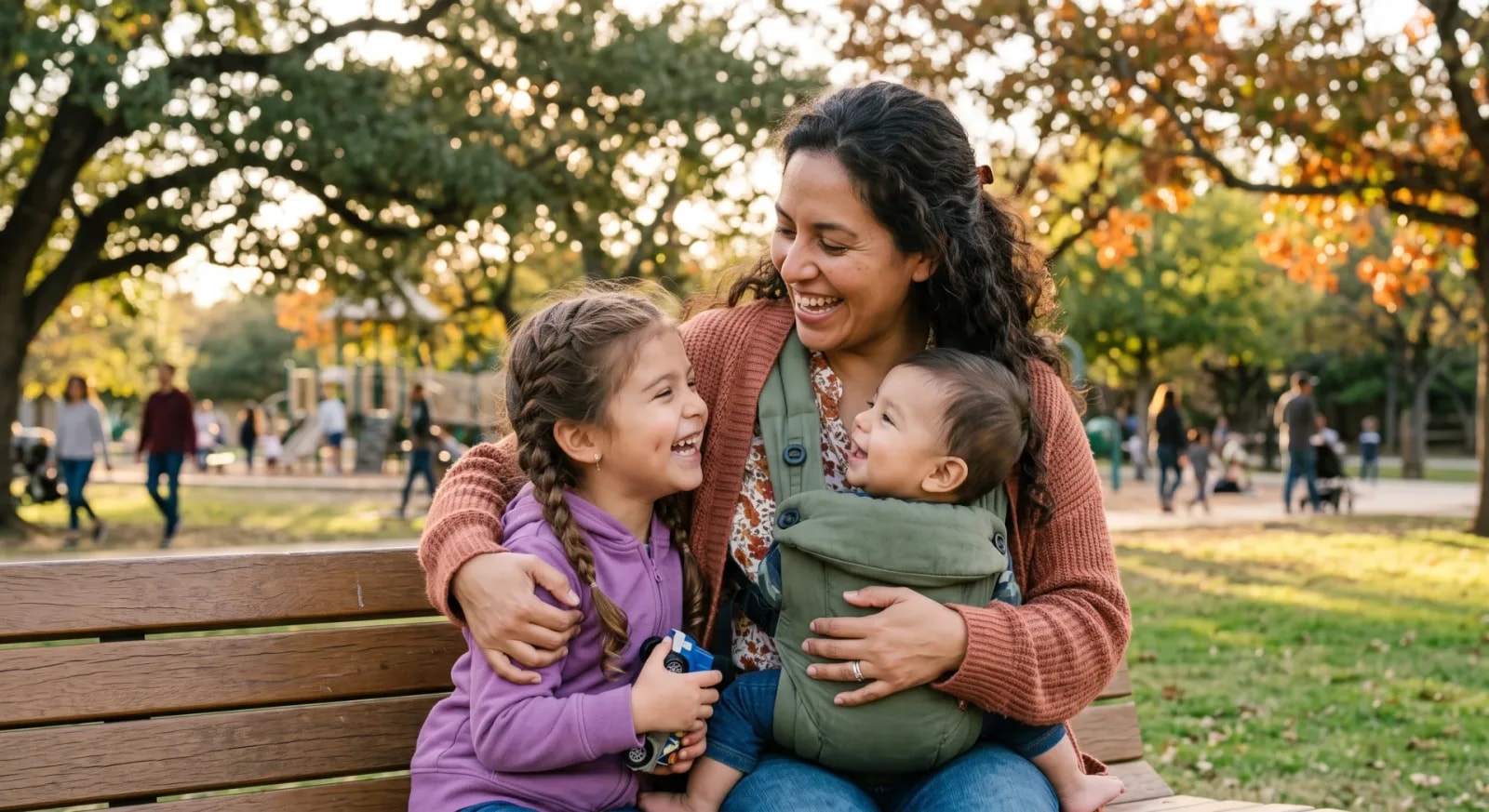
Coloring page
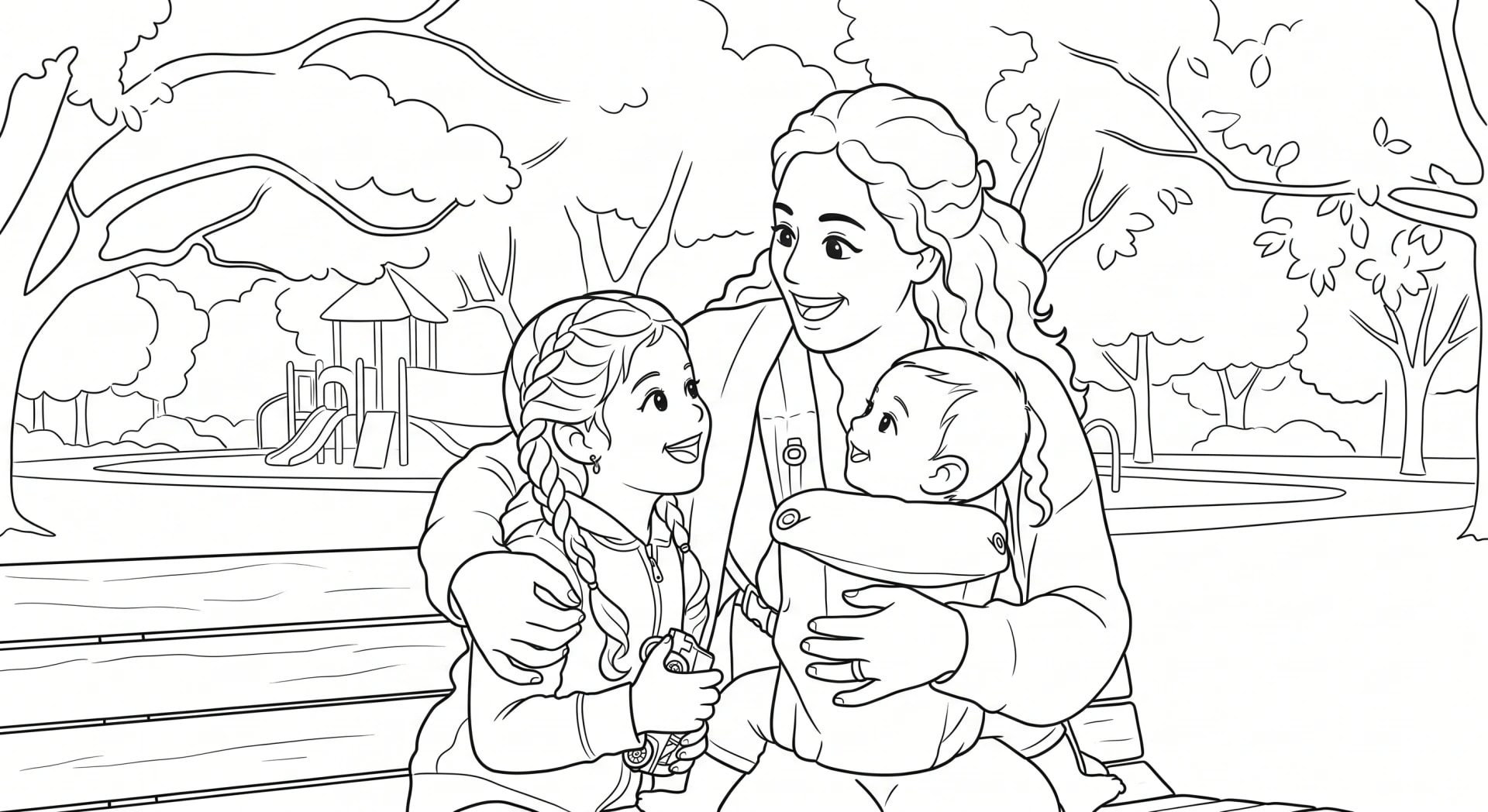
See what your photo looks like as a coloring page
Check the subject before the scenery
Open a photo and look at the faces without zooming all the way in. Can you make out the eyes and expression? A landscape with two tiny people may be a lovely travel picture, but a closer shot gives a portrait page more to work with.
In the example above, the family and bench are recognizable in both versions, while the trees and textures are different. Decide which people, objects, or parts of the setting make your memory recognizable before choosing a photo.
What to do with a tricky photo
Use this checklist to choose among the pictures you already have.
| Photo | What to check | What to try |
|---|---|---|
| Dark room or backlighting | Are faces hidden in shadow? | Choose a brighter shot from the same occasion. |
| Dark-coated pet | Can you see the eyes and muzzle? | Use even light that makes facial features visible. |
| Large group | Is each face visible without extreme zoom? | Use a closer group shot or smaller groups. |
| Screenshot or scan | Are important details sharp and unobstructed? | Use the original if available; crop out phone controls. |
| Busy background | Does it tell the story or hide the subject? | Choose a simpler view or crop around the people. |
A starting plan for 12 photos
For a family or couple book, try four portraits, four moments doing something together, two places you remember, and two pets or meaningful objects. This is a suggested mix, not a required formula. A birthday cake or familiar kitchen adds variety beside the selfies.
A Mini has 12 coloring pages and a Full has 22. Upload up to that many photos; illustrated theme pages fill unused slots. You do not need to add a poor-quality photo just to reach the page count.
Check the artwork before paying
The book flow shows up to two photo-based sample pages before checkout. Check the faces, the number of people or pets, and any detail you particularly want to keep. Likenesses and small details can shift a little in line art, which is why inspecting the sample matters.
For a single-photo starting point, try the free-page tool. View its preview, then enter your email to unlock the printable PDF. The book flow creates separate artwork, so check its own preview when you make a book.
Common questions
Can I use old family photos?
Yes, use a clear scan or digital copy with visible faces. Heavy fading or damage can affect the artwork, so inspect the preview.
Do all the photos have to show the same person?
No. Mix people, pets, and places around the recipient or the story you want to tell.
Should I use a color or black-and-white photo?
Either can work. Visible features and good contrast matter more than the original colors because the result is black-and-white line art.